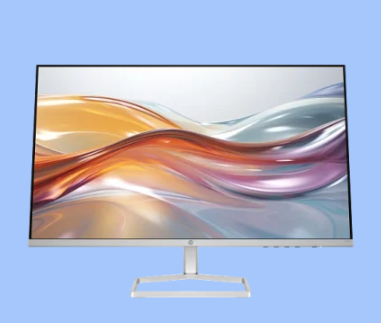
Monitors rarely make the list when an office plans its yearly budget. They stay on desks for years, often until one fails without warning. By then, staff may have spent long days squinting at dim panels and dragging windows between mismatched screens. Checking the monitor price in Kenya early gives your business time to plan replacements properly.
The right office display depends on where it sits and who uses it. A reception screen, an accounts workstation and a call desk each place different demands on size, resolution and comfort. Comparing the monitor price in Kenya across those roles helps a business match each screen to the desk it serves and spend more only where the work calls for it.
Reception Desks and Workstations Rely on Clear Displays
Customer-Facing Desks Need Screens Visitors Can Read: Reception areas and customer service desks need monitors that stay clear from more than one angle, since staff often turn the screen to show a visitor a booking or a quote. IPS screens hold colour and text steady when viewed from the side. A cheaper panel that washes out leaves the customer leaning over the counter to read the figures.
Ageing Monitors Cost Admin Teams More than They Appear: Administrative offices that keep old monitors in service lose time in small ways that a budget never shows. During routine office support visits, IT staff often find finance clerks checking invoices against spreadsheets on a single dim screen bought for an earlier layout. When several of those units fail close together, the office replaces them in a hurry with whatever is in stock.
See also: A Life Half Full: Aging With Optimism
Fitting Each Display to Hours, Desk Space and Daily Tasks
Long Shifts Call for Adjustable, Flicker-Free Screens: Staff who spend most of the day at a screen need a monitor they can raise, tilt and set to a comfortable brightness. A height-adjustable stand lets each person place the top of the screen at or slightly below eye level, which can ease neck strain over a full shift. Flicker-free backlights are worth checking for on screens in use all day.
Desk Space and Software Decide the Right Screen Size: Screen size should follow the desk and the software in use. A 24-inch monitor fits most standard office desks and handles email, accounting packages and browser work comfortably. Design, engineering and data teams often need 27-inch screens with higher pixel density, so fine lines and small spreadsheet text stay sharp. Counting staff by role keeps the order sized correctly.
Matched Monitor Sets Compared with Piecemeal Buying
Buying One Screen at a Time Leads to a Mixed Office: Buying monitors one at a time spreads the cost but leaves the office with a mix of sizes, stands and colour settings. That mix shows as soon as staff swap desks. A matched batch costs more upfront, though every desk then looks and behaves the same, and spare units fit anywhere. Smaller offices with tight cash flow may still prefer gradual buying.
Port Compatibility Matters More in a Bulk Order: A bulk monitor order should match the ports on the laptops and desktops in use. Newer laptops often carry only USB-C or HDMI, while older desktops may still rely on VGA or DisplayPort, so a mismatch means buying adapters for every desk. Logging each screen’s serial number and warranty date in an IT asset management register makes later claims and replacements quicker.
Reading Monitor Prices against Future Equipment Needs
Total Procurement Costs Go beyond the Screen: The full cost of a monitor order includes cables, adapters, desk mounts, delivery and setup time. Warranty terms belong in the sum too, since cover handled within Kenya saves weeks of waiting on a faulty panel. Comparing the monitor price in Kenya with these extras included shows which option is cheaper over the working life of the screens.
Planning for Next Year’s Desks Starts with This Order: A monitor order sized only for today’s team leaves no room for new hires or a second branch. Holding a few spare units of the same model keeps new desks consistent and covers sudden failures. Weighing the monitor price in Kenya against hiring plans and laptop upgrades helps your business pick models that will still connect to the equipment it buys later.
Checks Worth Making before a Bulk Monitor Order
Points to Settle before Comparing Quotes: Each monitor price in Kenya reflects its own mix of panel type, ports, stand design and warranty, so reading the specification sheet closely protects a bulk order from mismatches at the desk. The checks below take a few minutes per model. They also make it easier to explain the final choice to whoever signs off the purchase.
- Check the resolution against the screen size, since Full HD can look soft on monitors larger than 24 inches.
- Look for an anti-glare matte finish on screens placed near windows or under bright office lighting.
- Compare power consumption figures when dozens of screens will run through every working day.
- Ask whether the warranty covers dead pixels, since policies on pixel faults differ between manufacturers.
- Check for standard mounting holes on the back if screens may later move onto monitor arms or wall brackets.
Office Displays Chosen for the Work Ahead
Monitors chosen for each role give reception staff a screen visitors can read and give accounts teams room to work across two windows without strain. Holding on to tired screens costs a few minutes at each desk every day, and across a whole team those minutes add up quickly. Request a quote today for the office monitors your team needs this quarter.